The Cluster: Demo of Hunting AI and New Models
This post is about The Cluster, my 2.5D platform game under development with focus on non-linear exploration, set in a big, continuous world. You can read all the posts about The Cluster here.
Like I wrote about a few weeks ago I've been working on pathfinding and AI for the enemies in The Cluster. The AI pathfinding is now reasonably stable and there's a working demo below where you can fight against simple hunting enemies. Right now the enemies always know where the player is; later the knowledge of most enemies will be made less global and more based on local memory.
I've also been working on some new character models and animations. The new animations in particular bring the player avatar and enemies a lot more alive! Even though I'm a complete amateur as an animator, the crude animations I've made still make the character a lot more fun to watch, I think. :)
Here is a simple playable demo of the current state of the game (requires Unity plug-in):
Controls: Arrows to run, Ctrl to jump, Alt to shoot fireballs.
Again, this demo is just a "tech demo" and features no way to win. It extends infinitely to the right. Enemies should be able to chase the player almost everywhere, but they can't pass the checkpoints (the white monuments).
Like I wrote about before, I'm still not sure what gameplay elements would be best at making agile enemies like these the most fun in a platform game. Have a go at the demo above and then let me know if you have some ideas for how to make this gameplay more fun!
The Cluster: Demo of Procedural Environment
This post is about The Cluster, my 2.5D platform game under development with focus on non-linear exploration, set in a big, continuous world. You can read all the posts about The Cluster here.
I'm taking a break from pathfinding and AI to go back and talk about the raw level design in The Cluster; More specifically the procedural generation.
The entire world in The Cluster is procedurally generated at runtime, though it is consistent, meaning that the world will be the same every time you play. However, this is strictly a design choice, not a technical limitation, and I'm considering including some kind of bonus areas or similar that will be different every time.
To give you an idea of the current state of the game, here is a simple playable demo (requires Unity plug-in):
Controls: Arrows to run, Ctrl to jump.
This demo is just a "tech demo" and features no enemies and no way to win. It extends infinitely to the right.
Back in 2007 I explained the procedural level generation of the game. The game has changed a lot since then - among other things it has turned from a tile based 2D game into a 2.5D game with 3D graphics - but the basic method of generation is still the same.
You can actually see the maze map in-game in the demo above by pressing 2. Press 1 to hide the world to only see the map. You can zoom a bit out by pressing Z, X zooms back in, and you can pan around using WASD. Press Esc to reset the camera.

A map of the maze that the area is based on.

The map overlayed onto the actual generated area.

The generated area by itself.
One feature not explained in depth on the page linked to above is the placement of locked doors and keys in the game. The game places locked doors and keys in a "perfect way" such that it is always necessary to find all keys and unlock all doors to be able to proceed, and a "deadlock" will never occur, where the key for a door is placed behind that door. The placements are calculated using a simple algorithm I came up with which is based on dividing the area up into a binary tree and then placing keys in leaf nodes and locks in inner nodes in a specific way. Several years after implementing it, I found this article about "Environment Tree" at Squidi.net. It's basically the same algorithm, so rather than explaining it myself here, I'll refer to that.
A nice aspect about the algorithm is that it supports placing keys both sequentially and nested. In the screenshots above, the red door is sequential in the sense that all the following keys and doors are on the far side of the red door, so once you've gone through it, you don't have to go back. The green door, however, is nested. You go through the green door, pick up the blue key, and then go back out the green door in order to proceed. The algorithm doesn't have separate handling of sequential versus nested key and door placements; these are just emergent properties so to speak.
If there's any interest I can cover other aspects of the procedural generation in The Cluster in coming blog posts.
Maze Raiders: Good Old Two-Player Fun
Maze Raiders is a two-player game I made together with three other people back in 2004. You need to sit two persons by the same computer to play the game.


The objective of the game is to run around in a maze and collect more gold coins than your opponent, and to shoot him and steal his coins. The game sports randomly generated mazes each time you play to keep it fresh. There's two different scenarios - jungle and pyramid. It's classic local two-player fun!


Though we were all game design novices, we managed to balance the rules to make for a frantic game that just keeps being fun to go back to. When all coins in a maze are collected you have one minute to try to steal coins from your opponent. During this time the player with fewer coins moves faster than the other player. It's just enough that it's not too late to change the tides, and it makes for a panicked final chase before the time runs out, sometimes with the roles switching multiple times.
In 2004 when the game was made there was no indie game movement to speak of so we had nowhere to announce the game - particularly a game of such a small scope. All we could do was submit it to software distribution services like Tucows and FilePlanet. Ha, things sure have changed since then! I thought I'd take this opportunity to put the game online and let others know about it. Enjoy!
The Cluster: Agile Enemies in a Platform Game?
This post is about The Cluster, my 2.5D platform game under development with focus on non-linear exploration, set in a big, continuous world. You can read all the posts about The Cluster here.
I've been working on implementing path-finding for The Cluster, the 2.5D platform game I'm developing. Path-finding will let NPCs (enemies, companions, or other characters in the game) be able to find their way around in the world. For example, this will let them be able to chase/follow the player, or flee away from her.
So far I have a simple proof of concept with multiple red NPCs following the player (but not being quite perfect at it yet):
As mentioned before, some aspects of the game have come a long way already, while other are not even touched yet. I have yet to figure out and decide something as basic as what kind of game mechanics I want the game to focus on. I want game mechanics that create a focus on using the environment to one's advantage, and which makes use of the maneuverability of the enemies in an interesting way. But which mechanics can create that form of gameplay? I'm still a novice at game design.
In practically all platform games I've seen, enemies have exceedingly simple movement patterns and a very limited ability to move around in the level. Most often an enemy simply patrols a small path going back and forth or similar. My aim is to develop more engaging enemies that are almost as agile as the player. If anyone knows of existing games that have tackled this problem, I'd like to know!
I want the focus to stay on platforming though and not make it into a combat game. I don't care for twitch or combo based combat, but would prefer a small tactical element instead, using the local environment to one's advantage somehow.
I've thought about the 3 most dominant fighting mechanics in platform games:
- Jumping on enemies' heads Like in Mario or Sonic
- Shooting (typically horizontally and vertically only) Like in Commander Keen or Cave Story
- Melee (I haven't played a lot of those - Jak and Daxter maybe? But that's 3D)
Early tests quickly revealed that jumping on enemies' heads don't work at all with agile enemies that move fast and unpredictably. All games with this mechanic have enemies that move rather slow or at least in a very predictable pattern.
Melee - I'm not sure how that would work well, as you'd have to always approach the enemies closely, which I think will make it harder to use the environment in an advantageous way.
Shooting from a distance seems like the best candidate to support the kind of gameplay i want, but I'm still not sure how to model the details of the game mechanics to encourage a play style based more on simple tactics than on head-on confrontation.
First Peek at the Levels in The Cluster
This post is about The Cluster, my 2.5D platform game under development with focus on non-linear exploration, set in a big, continuous world. You can read all the posts about The Cluster here.
I've been working on a platform game on and off in my spare time for a looong time. Working title: The Cluster.
It's a 2.5D platform game with focus on non-linear exploration, set in a big, continuous world. I'm using Unity to develop it.

In some respects it has already come a long way (advanced algorithms used to control the world in the game) and in other respects the fundamentals haven't even been decided on yet (the exact gameplay mechanics, story, graphical style...) so it's very much a work in progress.

I just finished some code that rounds all the corners in the world geometry and it makes it looks way better than it did before! In the image below an area is seen at some distance, and you can see some coins, some springs, some spikes and some enemies. The models are all simple placeholders for now.

I'll continue documenting the progress of The Cluster here, so stay tuned. For some info on the very early development when the game was still sprite-based and developed in Delphi Pascal, see this page on my website.
Field Report from GDC 2010
I've been spending the last week in San Francisco attending the Game Developers Conference and showing off Unity at our awesome (and very busy) booth.

Booth Experiences
The people I've met have been very excited about Unity; both our product in general and about the new features we'll be releasing in upcoming Unity 3 this summer and which we previewed at the booth. Unlike last year, there were practically no people this year who hadn't heard about Unity some way or another.
IGF Impressions
The Independent Games Festival awards show was great. I was especially excited about Danish guys Playdead winning no less than two awards for their game Limbo and other Danish guys Press Play winning an award for their Unity game Max & the Magic Marker for Wii, PC, and Mac. I've had a chance to play both, and they're both excellent games. Coincidentally they're both side-scrolling platform games with a strong puzzle focus, but besides that they're completely different.
Animation Insights
I only got to see one session this year - Player Movement and Animation in Drake's Fortune 1 and 2. It was very well presented. Everything was sensible and easy to understand; there was nothing ground-breaking but a lot of useful tips and tricks. With the exception of one thing that was purely done to save memory (flipping animations on the left-right axis), everything they did could be done in Unity without problems. They basically rely on lots of animation blending, some of the animations applying to only part of the skeleton, and some animations being additive; all things that are supported in Unity. They also do some IK fixes, which of course can be done in Unity with scripting.
Their method for making characters standing and moving correctly on uneven surfaces is a little similar to how my Locomotion System does it, just a bit simpler: They too use raycasts to find the ground height for the feet, then adjust the hip/root height, and then use IK to adjust the legs.
The most interesting thing they did was having a few long animations with random wiggling of the character. By applying this on top of a 1-frame idle animation they get a nice long, varied idle animation, but it means they can have lots of different idle animations that are all just 1 frame long which turn into nice animations when the wiggly-animation is applied on top. They do similar things with walking and running to add variation that can span over a long time but doesn't require much space because it can be reused for many different animations. Perhaps we can add something like that for our new Unity 3 launch demo that we're working on.
Going Home
It's been a long and hard, awesome week, and I've met lots of great people, but now I also look forward to going home again. I'll be arriving back in Copenhagen on Monday, and once I've recharged a little I'll be continuing working on getting Unity 3 out.
3rd Person Shooter Unity Demo

At work I've been working on a Unity demo to demonstrate various animation techniques, and I ended up making it into an actual game (albeit a small one). You can read more about it - and play it! - here:
New Character Animation / 3rd Person Shooter Demo
It's based on a tech demo that Paulius Liekis and I did for a presentation at Unite '09. You can see a video of the presentation here:
What I did at Nordic Game Jam
This weekend I participated in the Nordic Game Jam - the first and biggest instance of the Global Game Jam event.
The basic idea is that lots of people meet and split up into small groups that each make a game in about 40 hours. That's some seriously intensive game making, which is very exciting and fun (and exhausting). Because the games are so small and quick, there is unlimited room for wild experimentation which would not often be risked in larger scoped games with more serious commitments.
In my group we made Preschool Theater Director - a game where you have to direct a chaotic set of pre-school kids in order to enact Shakespeare's "A Midsummer Night's Dream" on the stage in front of a demanding audience of parents. You can play it online here via the Unity browser plug-in.

The game is over quite quickly (if you can remember the names of the children anyway) but the graphics and sound design and general sense of attempting to direct small clueless kids makes it for a funny experience.
Florian Sänger made the graphics, Bernie Schulenburg the sound and voices, Kasper Clemmensen produced the music, and Nils Deneken contributed with bits here and there though he was busy working on another game at the same time. Lau Korsgaard helped with some initial prototype programming before family commitments took over. After that I was the only programmer on the game which made me somewhat of a bottleneck, but I'm glad we got it into a state where it's fully playable and actually a bit of fun.
Master's Thesis now online
My Master's Thesis is now finally online:
Automated Semi-Procedural Animation for Character Locomotion

I would have made it available earlier, but the University took three months reviewing it, and I wanted them to be done with it first.
The 114 page thesis thoroughly discusses almost all parts of the implemented system and compares the used techniques and methods with related academic work on the subject. Here's the abstract:
This thesis presents a framework of techniques for interactive synthesis of highly flexible character locomotion. The system uses a set of example motions primarily in the form of keyframed or motion-captured walk and run cycles. The system automatically analyzes each motion at design-time and extracts parameters such as impact and lift-off times for each foot as well as overall velocity. At runtime the system first blends the motions according to the current velocity and rotational velocity of the character, it then adjusts the movements of the bones in the legs by means of inverse kinematics to ensure that the feet step correctly on the ground. The system works for both human and non-human characters with any amount of legs and in whatever style the provided example motions are in. It can adjust animations made for a specific speed and direction on a plain surface to any speed, direction, and curvature, on any surface, including arbitrary steps and slopes.
Notable innovations in the thesis include the introduction of the concept of a footbase, which is a single combined heel and toe constraint that can retain the important information about the alignment of a foot relative to the ground; the calculation of a supporting ground height that can be used to produce motion with a good sense of weight, regardless of the number of legs and of the gait style; the calculation of natural-looking foot alignments that works for just about any characters and gait styles, and a scattered data interpolation algorithm that has desirable properties when interpolating motions with different velocities.
The thesis has plenty of diagrams and illustrations to help presenting the new concepts and techniques. The accompanying videos also help in that regard.
Having finished my Master's Thesis doesn't change a whole lot in my life in practice. I've already been employed full time at Unity Technologies since February and I will be continuing my work there helping continuously improving the Unity game engine and authoring tool. (My blogging for Unity can be seen here by the way.)
That said, I'm very happy to finally be done with this academic endeavor. This also marks the end of the almost exclusive focus on the Locomotion System on this blog. My future blogging here will probably be centered around more broad game development related subjects, though I won't be shy of occasionally diverting even from that topic if I should feel like it.
As always, the Locomotion System itself can be downloaded here and it is free to use in any Unity game.
Fully Automated Blending, Revisited
One of the things that makes the Locomotion System easy to setup and use is the fact that it automatically analyzes the velocities of all the input walk and run cycles and plots them into a velocity map. At runtime the system automatically assign appropriate blending weights to the animations, such that the closest neighboring animations (in terms of their velocities) get the highest blending weights.
While developing the system I tested this blending with as few as 2 sample animations (1 idle and 1 walk cycle) and with a much as 9 (1 idle, walk cycles in 4 directions, and run cycles in 4 directions).
A user in the Unity community, Chris Mansell Aka. Capnbubs, has now posted an early preview demo of a game he is developing, which utilizes the Locomotion System. In it, the avatar walks and runs with easy in a landscape with cliffs and hills.
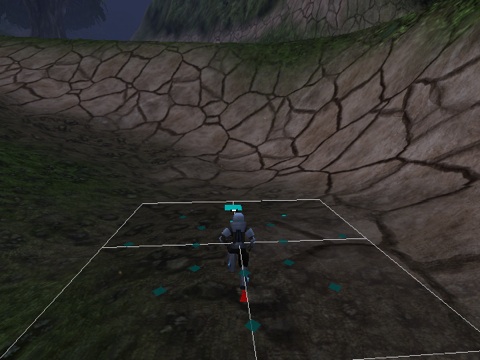
Chris informs me about the animated character:
I've got walk and a run animations, each in 5 directions, three of them mirrored for moving backwards.
In other words, walk and run cycles in 8 directions, which makes for a total of 17 animations when also including the idle. The image above depicts a visualization of the velocities of the animations plotted into the velocity map.
I only ever tested with half that many animations myself, but the automated analysis and the runtime blending based on scattered data interpolation ensures that it still just works out of the box. Also, the built in ability to make an animation double as its backwards equivalent means that Chris effectively got 17 animations although he only made 11.