Behind the design of Eye of the Temple
My VR adventure Eye of the Temple, that I've been working on since 2016, has landed on the Meta Quest 2! It was released last week on April 27th.
Get Eye of the Temple for Quest 2 on the Oculus Store
Originally released for SteamVR in October 2021, so many people have asked for it to be brought to the Quest 2 as a native app, so I'm happy it's finally a reality. The Quest 2 version was co-developed with Salmi Games and it took all our combined and complimentary skills to bring the game to life at target framerate on the Quest 2 mobile hardware.
We also made this new trailer:
The game got a fantastic reception! UploadVR called it "A Triumphant Room-Scale Adventure" and has labeled it an essential VR experience, and it got great video coverage by Beardo Benjo, BMFVR and many others. It also got great user reviews and a high review score on the Oculus Store.
Behind the design
To mark the Quest 2 launch of Eye of the Temple, I've written no less than three articles - published elsewhere - about different aspects of its design.
The Origins and Inspirations of ‘Eye of the Temple’
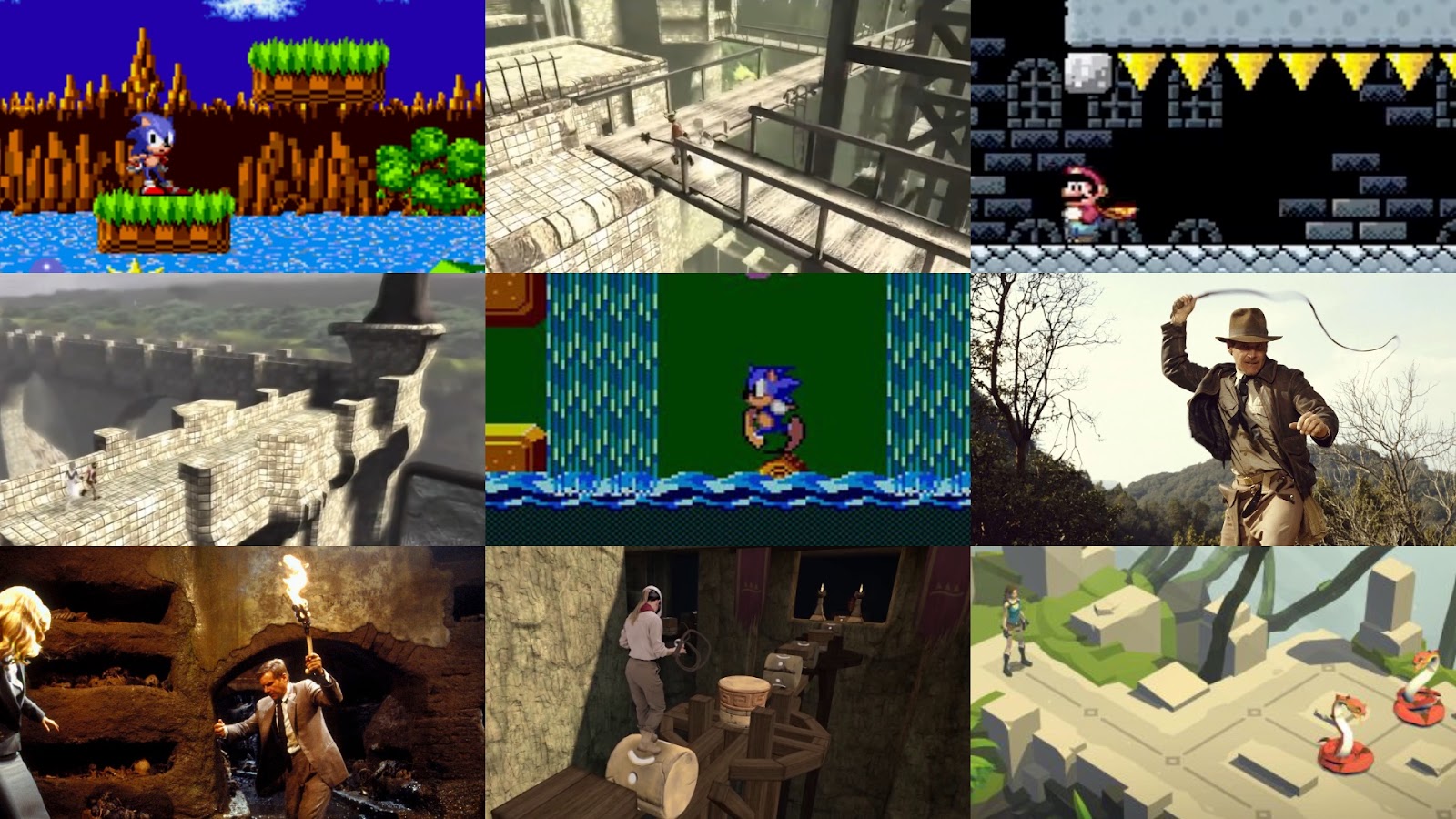
To celebrate the launch, I spoke with Meta about the origins of Eye of the Temple and the wide variety of inspirations (from classic platformers to Ico and Indiana Jones) behind the game.
Read the article on the Meta Quest blog
One year later...
Today is the one year anniversary of the release of my VR adventure Eye of the Temple on Steam! It's currently 40% off to celebrate.
I thought I'd take a moment to talk about what I've been up to since the release, both related to Eye of the Temple and other projects.
My experience launching Eye of the Temple
My VR adventure Eye of the Temple, that I've been working on for the past five years, has finally shipped! It was released last month on October 14th.
Naturally this was a huge milestone for me after having worked on it for so long. And while I've released some smaller games for free in the past, Eye of the Temple is my commercial debut game. I actually did it! Wow, I say, patting myself on the back.

Eye of the Temple in 2019
I've completely failed to keep up the posting in 2019, but it's not too late to write at least one post this year! Here's (almost) everything that happened with the development of Eye of the Temple in 2019!

But first, let's look at what happened in the last part of 2018 after the previous post.
Creaking Gorge and The Cauldron
Since my last post in July where I finally got a vision down for the level design in Eye of the Temple, I've been feeling super productive adding new areas and features to the game.
In August I added two new areas and in September I've been revamping the in-game UI and the speedrun mode. Only problem is I haven't kept up with these blog posts. To avoid this post getting too long, I'll cover the new areas here and save the UI work for a later post.
Creaking Gorge
Creaking Gorge is an area where you move along and into cliff sides and atop wooden scaffolding. It's by far the most vertical area in the game, spanning more than 50 meters vertically.

Level design workflows
Let me talk a bit about my workflows for doing level design in Eye of the Temple since I recently had some progress in that area.
I've been in something akin to a level design writer's block for a long time, being able to rework individual small areas, but unable to start the major world redesign that I've been intending for over a year.
Maybe calling it writer's block is pretentious - the fact is that I've never done this sort of work before, so I may just not have developed the necessary workflows to deal with it. Anyway, I think I might have finally cracked the nut.
I've had plenty of ideas, but fragmented and not crystallized enough to get down on paper. How do you start planning a non-linear world meant to be highly interconnected and interdependent? I can talk about what eventually worked for me.
I've long pondered what type of document could help me get ideas down on paper in a quick way. In addition to text documents (glorified to-do lists) I've been using tilemaps for sketching level designs.
I've been experimenting with using Unity Tilemaps as a digital replacement for pencil level design sketches. Some success so far, although I'm really missing rotation/flipping of selection and proper multi-selection.
— Rune Skovbo Johansen (@runevision) November 27, 2017

New pots feature, mixed reality, Discord server, Yonderplay event
It's time for a new update on the development of Eye of the Temple.

Events
GDC in March is well behind us and I had a great time there. Among other things, I got to show off Eye of the Temple at the European Game Showcase (and saw a lot of other cool games too). This was a private event for specially invited people from the network of the organizers.
Now, Eye of the Temple has been selected for Yonderplay, an event that's part of the Nordic Game Conference in Malmö in Sweden and open to everyone at the conference. This will go down on May 25, the last day of the conference. This is the most public showing of the game yet, and I'm very excited about it! If you'll be at Nordic Game Conference yourself, come by and say hi and give the game a try.

New trailer, public Steam page and Eye of the Temple in the press!
Last week I took a dive into the world of PR with Eye of the Temple.
There is a new trailer you can see on the website eyeofthetemple.com or right here below.
And Eye of the Temple now has a Steam page: Eye of the Temple on Steam
If you have a Vive or Oculus Rift, and think Eye of the Temple looks interesting, you can totally add it to your wishlist on Steam now! ;)
After that I took my first stab at contacting the press with a press release. The story got picked up by UploadVR and a handful of smaller outlets (see list on the Sanctum Dreams website). Considering I'm an unknown small indie developer with no experience with the press, I'm pretty happy with the results.
This week I'm at Game Developers Conference in San Francisco. I'm mostly here with Unity, but I'll also be showing Eye of the Temple at the European Game Showcase.
Exciting times!
January 2018 update
It seems like I didn't blog since July. How scandalous! Well, here's an update on what I worked on for Eye of the Temple since then.
Presented as a series of tweets, because that's what I have time for.
Note: Add blockers seem to sometimes randomly block some of the embedded tweets for some reason.
Prettier background environment
The cold snowy mountains didn't give the feeling I was aiming for. Failing to find anything ready-made that fit the bill, I created my own lush, mountainous environment.
What do you think of this new environment art for the backdrop of the temple that we've been working on? #gamedev #indiedev #VR #HTCvive pic.twitter.com/ASGxGCeG3p
— Eye of the Temple (@eyeofthetemple) September 20, 2017
Another shot of the mountains surrounding the temple. #screenshotsaturday #gamedev #indiedev #VR #HTCvive #madewithunity pic.twitter.com/GmfAwyzPvp
— Rune Skovbo Johansen (@runevision) September 23, 2017
Failed attempts at mixed reality capture with StereoLabs ZED stereo camera
I think a mixed reality video would be the ideal way to show off Eye of the Temple, so I invested a bit in this. Unfortunately it didn't go well due to a combination of a bad choice of immature tech, and an insufficient green-screen setup. I might revisit this in the future though.
@stereolabs3D Could you show how this 3D printed mount is meant to be used with a Vive controller and tracker respectively? pic.twitter.com/UqoEm0E77v
— Rune Skovbo Johansen (@runevision) September 16, 2017
It's designed to hold a Vive controller, a tracker and even an oculus touch. pic.twitter.com/yc4fC2J5ZJ
— Stereolabs (@Stereolabs3D) September 16, 2017
I posted a video here with my troubles. See tracking issue at 8:04. I mailed your support with more details. https://t.co/DCk6KeRO0O
— Rune Skovbo Johansen (@runevision) September 23, 2017
Argh! Mixed reality recording is hard! #VR #mixedreality #HTCVive #indiedev pic.twitter.com/YWVH6oFgc9
— Rune Skovbo Johansen (@runevision) September 26, 2017
Glowy light for certain platforms
Any Unity shader experts who might know why I get heavy banding on alpha of frag function output on Windows (but not Mac)? pic.twitter.com/Xrq8CliYNo
— Rune Skovbo Johansen (@runevision) October 16, 2017
I made a spiky glow for this platform. Helps a bit with awareness of edges without having to look down all the time. #VR #gamedev #indiedev pic.twitter.com/I9ScvbmzZL
— Rune Skovbo Johansen (@runevision) October 17, 2017
New build for testers with whip and other improvements
I finally finished developing the whip and got a build out to the testers.
Trying to recruit people to test the speedrun mode (never had any luck!)
The speedrun mode is super fun and challenging to me, but nobody else seem interested in it. Besides asking on twitter I also contacted some of the notable VR speedrunners and people who has posted about VR speedrunning on Reddit, but got nothing out of it. If anyone reading this have a Vive and would like to try it, do let me know!
#speedrunning in #VR with #HTCVive? Anyone want to give the speedrun mode of @eyeofthetemple a go? https://t.co/6g2WSQ2jnT pic.twitter.com/MtVtMKdLC0
— Rune Skovbo Johansen (@runevision) October 26, 2017
Implemented a new type of dangerous rooms for the temple
The reviews for this feature are through the roof.
Watch out! Working on a new type of danger in @eyeofthetemple... #screenshotsaturday #gamedev #indiedev #VR #HTCVive pic.twitter.com/95uYeL3b86
— Rune Skovbo Johansen (@runevision) October 28, 2017
It's getting tight in here. @eyeofthetemple #screenshotsaturday #gamedev #indiedev #VR #HTCVive pic.twitter.com/Tvrd3OcWk2
— Rune Skovbo Johansen (@runevision) October 28, 2017
"What do you mean I have to get in there!?" New room in @eyeofthetemple #screenshotsaturday #gamedev #indiedev #VR #HTCVive pic.twitter.com/7lE2iqorVD
— Rune Skovbo Johansen (@runevision) October 28, 2017
Got serious working on the big level design overhaul
Still far from finished with this one.
I've been experimenting with using Unity Tilemaps as a digital replacement for pencil level design sketches. Some success so far, although I'm really missing rotation/flipping of selection and proper multi-selection. pic.twitter.com/jT2PZloAYE
— Rune Skovbo Johansen (@runevision) November 27, 2017
I'm using #unity3d tilemaps for level design planning of multi-story structures. Moving things around becomes a pain though; having to do it separately for each layer. Any better alternatives? pic.twitter.com/STSb8AarvB
— Rune Skovbo Johansen (@runevision) December 29, 2017
Worked on a texture tool "Bricker" to easily create bricks and carved shapes
I've been continuing refining my tool for generating textures+normals from simple color masks. Output quality is getting there... #gamedev pic.twitter.com/jWzCUdc6Oz
— Rune Skovbo Johansen (@runevision) December 11, 2017
More on that in another post.
Contracted a few pieces of concept art to get inspiration for improving the visual look of the game
I've had decent progress towards realizing the concept art vision for @eyeofthetemple. I'll put further work on that on hold for now and focus again on a level design overhaul. #gamedev #indiedev #screenshotsaturday #VR #HTCvive pic.twitter.com/csUc4C5o7p
— Rune Skovbo Johansen (@runevision) December 23, 2017
And finally, introduced this little birdy
Bird spotted by the temple. #gamedev #indiedev #VR #HTCVive #birds pic.twitter.com/x8W7IRm54g
— Rune Skovbo Johansen (@runevision) January 15, 2018
That's it for now. Hope you enjoyed this glimpse into the development, and see you soon. Back to working on the game for me!
Remember you can also follow the development as it happens following @EyeOfTheTemple or @runevision on twitter.
July update: Trials and triumphs of whips and levers
Here's the latest updates on the development of my Vive VR game Eye of the Temple.
For the past several months I've been working on improving the whip I prototyped last year. In the last post, I showed how it could grab levers, but there were a lot of issues and the whip and lever didn't exactly look pretty. Now see what it looks like now:
This feels really good to use now. It didn't get to this point without a lot of issues on the way though.

June update: Verticality, puzzles, whip
Here's the latest updates on the development of my Vive VR game Eye of the Temple.
For the past month I've been mainly working on improving the whip I prototyped last year. It can now be used to grab levers at a distance, and then you can yank the whip backwards to activate the lever.
Testing whip and lever in Eye of the Temple. Still some way to go, but getting there. #gamedev #indiedev #vr #HTCvive pic.twitter.com/8TZHflQnM2
— Rune Skovbo Johansen (@runevision) May 20, 2017
There's still some way to go, especially with getting the audio cues right. The physics will never be quite like a real whip, but making it satisfying to use is the top priority.
Apart from this I've been looking into designing more puzzles for the game. I'm no expert puzzle designer, but bit by bit I come up with some that I think work well. The latest involve tall rotating towers, activated by levers (no whip use necessary for this one) where you need to step around on and in them at two different levels.
This also marks my increased effort in making better use of verticality in the level design. Experiencing the great heights is a draw of the game, and I'm figuring out how to use that optimally.
"Add more verticality" they said, and I agree! New puzzle elements in @eyeofthetemple #VR #HTCVive #madewithunity https://t.co/hvxgYxW0uR pic.twitter.com/tjDuCk2ufo
— Rune Skovbo Johansen (@runevision) June 13, 2017
I don't have a new build with these new things yet. The work right now is on smaller isolated pieces and puzzles, and once I have a set of those that fit nicely together, I'll begin integrating it all back into the overall world design.
April update: Fire, blades, speedrun mode
Here's the latest updates on the development of my Vive VR game Eye of the Temple.

New additions:
- Fire! One challenge tunnel now has fire hazards.
- Blades! One challenge tunnel now has swinging blades.
- Speedrun mode! A more challenging way to play the game. More notes below.
- Hat! You're now wearing a hat. Hope you like hat.
- Experimental spectator camera. 3rd person view. More notes below.
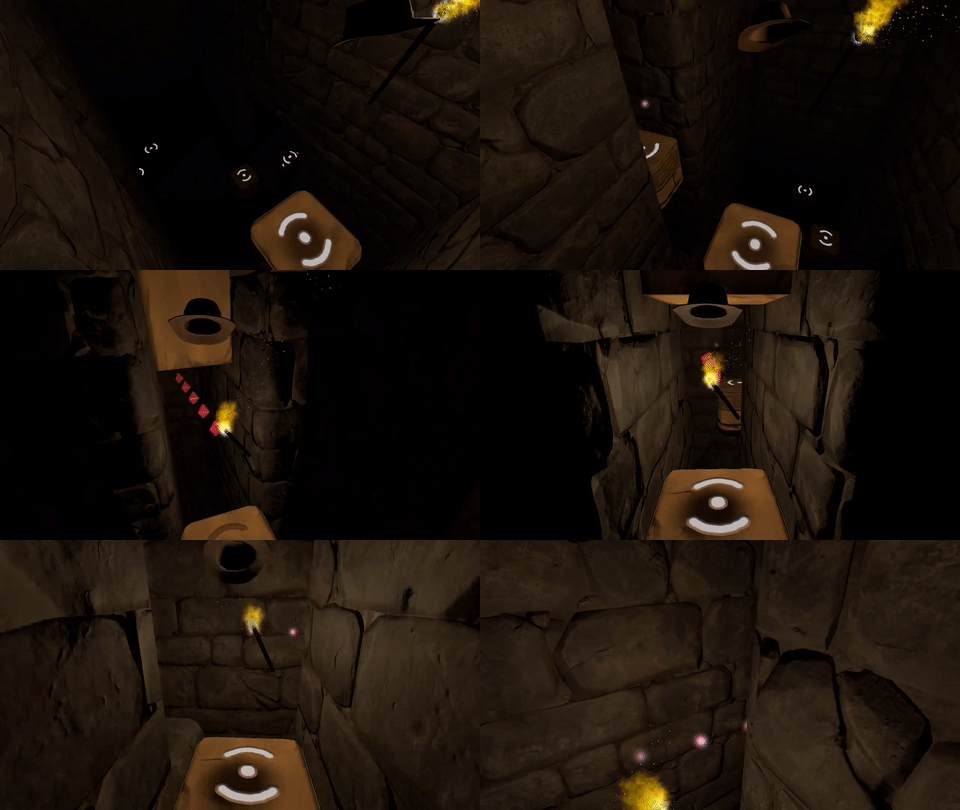
- Field of view is now restricted when close to falling and when falling in order to further reduce risk of motion sickness.
- Placeholder ambient soundscape taken out of the game for now since it had confusing footstep sounds.
Speedrun mode
For those of you who wanted more challenge in the game, there is a new speedrun mode. This mode times your play-through but also speeds up the platform movements as long as you can keep up.
This mode is has a higher risk of being uncomfortable, causing motion sickness, and falling over, so engage on your own risk.
- Each time you take a perfectly timed step onto a new platform, the game will speed things up a little bit.
- Each time you miss an opportunity to step onto a new platform, the game will slow things down a little bit. (This can occasionally happen through no fault of your own.)
- When you die, the speed is reset, so it's recommended to keep to a speed you can handle in order to not lose momentum in your speedrun. You can avoid speeding thing further up by taking steps in a slightly slower way.
I do not recommend this mode to people who haven't already played through the game at least once, so in the final game I'll probably only unlock the speedrun mode by completing the game.
How to use: For now though, you start a speed run by first starting a new game, and then press Shift+R on the keyboard.
Experimental spectator camera
The gameplay in Eye of the Temple can be hard to get an impression of for others by looking out in first person. I've experimented with an alternative camera angle shown on the monitor that shows the action from 3rd person perspective.
How to use: Activate/toggle 3rd person spectator camera by pressing X on the keyboard.
This view requires extra resources from your computer, so if you get performance problems, turn it off.
What do you think of 3rd person spectator camera? Is it something you might use for streaming, videos, or for people watching you play? It's still a bit buggy and has room for improvement, but I'm curious what you think of the overall idea.
February update: Gems
Here's the latest updates on the development of my Vive VR game Eye of the Temple.

New features:
- There are now gems throughout the temple that you can collect.
- Moving platforms have glowing symbols on them.
- Visuals: Intro area has some red stones and some of the dungeons have grittier gray stones and spikes.
- The way the platforms move has been tweaked, hopefully to further reduce potential for dizziness.
Notes on gems
The gems are found throughout the temple. The exact placement tries to take player proportions into account so that they are at a comfortable distance for reaching. I haven't tested this on different people yet though. If you could let me know how it works for you and how tall you are, that would be helpful. If you don't want to share that, that's ok too.
Right now the gems don't do anything yet. Later I will implement at the minimum a way for you to see how many you collected.
Beyond that I need to decide if the gems have a critical or non-critical function:
A critical function of the gems could be if they are used to unlock new areas in the game and thus are needed to progress. Or an almost-critical function would be to unlock alternative paths or secret rooms not otherwise accessible. This is still fairly critical because it would be annoying if you're trying to see 100% content of a game to find out you can't due to some mistake made earlier that's too late to do anything about. Currently there are one-way platforms that you can take which will prevent you from going back to collect any gems you might have missed. If I make the gems critical, I'd have to find a way to make it possible to always go back to all areas of the temple.
Non-critical functions of the gems could be high-score, achievements, and, I dunno, unlockable hats if I get a selfie stick implemented for the game. :P Old games would typically grant you extra lives, but it doesn't work for modern games with infinite lives.
For now I refrained from placing gems at platforms that only go one way. If there were gems there and you failed to pick one up, you wouldn't have a second chance and I thought that might feel unfair or frustrating.
Early testers online forum
In order to try to get faster feedback and shorter iteration cycles, I opened up for people to sign up online to be early testers of the game. If you have access to a Vive (and 2.2 by 2.2 meters space) and would like to try out the game and provide detailed feedback based on your experience, please don't hesitate to join!
Sign up to provide feedback on early builds of Eye of the Temple
January update: Visuals, usability and early testing
For a while, my focus for my Vive VR game Eye of the Temple have been to not expand more on gameplay right now but rather on improving what I've got in order to make it as presentable as possible.
That has meant:
- Improving visuals.
- Addressing usability issues found in play-testing.
(If anybody wonder what happened to the Whip Arena spin-off game, I put that on hold after it become clear it only worked well with a quite large physical VR space, which very few people have available.)
3D models
Gate model. Two keys must be inserted above the gate to unlock and open it:

Stone torch model. You light these with your torch to trigger things happening:

Cliffs model. The temple used to just float in the air; now it's grounded:

For a long time the game was full of placeholder models made of simple boxes and cylinders. There's still some of those left, but I've been working on replacing them all with proper models.
After briefly planning to work with contractors for 3D models, I decided to learn 3D modeling myself instead (and deal with the various challenges that come with it).
The models I need have highly specific requirements (they need to have very exact measurements and functionality to fit into the systems of the game) yet in the end they are quite simple models (man-made objects with no rigging).
With this combination it turned out that back-and-forth communication even with a very skilled artist took as much time as just doing the work myself. I'll still be working with artists for the game, just not for the simple 3d models I need.
Several of the models still have placeholder texturing. I have an idea for a good texture creation workflow for them, but it will take a little while to establish, so I'm postponing that while there's more pressing issues.
Intro section
My goal is that Eye of the Temple should be a rather accessible game. You need a body able to walk and crouch, and not be too afraid of heights, but I want it simple enough to play that people who don't normally play computer games can get into it without problems.
This has largely been a success. Gamers or not, I normally just let people play without instructions, and they figure things out. My dad completed the whole thing in one hour-long session when he was visiting.
The game did throw people in at the deep end though, asking them right from the start to step between moving platforms four meters above the ground. Some people would hesitate enough to end up mis-timing their step and stumble, making the experience even more extreme right from the beginning.
To ease people a bit more in, I've worked on an intro section that starts out with only a 0.75 meter drop, and the first two platforms have no timing requirement. I have yet to get wide testing of this to see if it helps.

There is one particular problem I've toiled with for a while, which is to design a platform that bridges two spots in a compact manner. Why this is tricky relates to how the game lets you explore a large virtual space using just a small physical space.
Originally I had platforms rotating around a center axis, but that made some people motion sick who otherwise didn't have problems with the rest of the game.

I tried various contraptions to replace it, but they were complicated and awkward to use. My latest idea is using just a barrel-like rolling block, which is nice in its simplicity, and also a fun little gimmick to balance on once you understand how to use it.
Figuring out what you're meant to do is easy to miss though, as I found out with the first tester trying it. I have some ideas for a subtle way to teach it, but that will take quite some time to implement. For now I settled for slapping a sign up that explains it.

Early testers online forum
There is no substitute for directly observing people playing a game, but this is impractical for me to do frequently when I also have a full-time job. I'm lucky if I get to do it two times a month.
In order to try to get faster feedback and shorter iteration cycles, I've now opened up for people to sign up online to be early testers of the game. If you have access to a Vive and would like to try out the game and provide detailed feedback based on your experience, please don't hesitate to join!
Sign up to provide feedback on early builds of Eye of the Temple
The quest for automatic smooth edges for 3d models
I'm currently learning simple 3D modeling so I can make some models for my game. I'm using Blender for modeling.
The models I need to make are fairly simple shapes depicting man-made objects made of stone and metal (though until I get it textured it will look more like plastic). There are a lot of flat surfaces.
The end result I want is these simple shapes with flat surfaces - and smooth edges. In the real world, almost no objects have completely sharp edges, and so 3d models without smooth edges tend to look like they're made of paper, like this:

What I want instead is the same shapes but with smooth edges like this:

Here, some edges are very rounded, while others have just a little bit of smoothness in order to not look like paper. No edges here are actually completely sharp.

The two images above shows the end result I wanted. It turns out it was much harder to get there than I had expected! Here's the journey of how I got there.
How are smooth edges normally obtained? By a variety of methods. The Blender documentation page on the subject is a bit confusing, talking about many different things without clear separation and with inconsistent use of images.
Edge loops plus subdivision surface modifier
From my research I have gathered that a typical approach is to add edge loops near edges that should be smooth, and then use a Subdivision Surface modifier on the object. This is also mentioned on the documentation page above. This has several problems.
First of all, subdivision creates a lot of polygons which is not great for game use.
Second, adding edge loops is a manual process, and I'm looking for a fully automatic solution. It's important for me to have quick iteration times. To be able to fundamentally change the shape and then shortly after see the updated end result inside the game. For this reason I strongly prefer a non-destructive editing workflow. This means the that the parts that make up the model are kept as separate pieces and not "baked" into one model such that they can no longer be separated or manipulated individually.
Adding edge loops means adding a lot of complexity to the model just for the sake of getting smooth edges, which then makes the shape more cumbersome to make major changes to afterwards. Additionally, edge loops can't be added around edges resulting from procedures such as boolean subtraction (carving one object out of another) and similar, at least not without baking/applying the procedure, which is a destructive editing operation.
Edge loops and subdivision is not the way to go then.
Bevel modifier
Some posts on the web suggests using a Bevel modifier on the object. This modifier can automatically add bevels of a specified thickness for all edges (or selectively if desired). The Bevel modifier in Blender does what I want in the sense that it's fully automatic and creates sensible geometry without superfluous polygons.

However, by itself the bevel either requires a lot of segments, which is not efficient for use in games (I'd want one to two segments only to keep the poly count low) or when fewer segments are used it creates a segmented look rather than smooth edges, as it can also be seen below.

Baking high-poly details into normal maps of low-poly object
Another common approach, especially for games, is to create both a high-poly and a low-poly version of the object. The high-poly one can have all the detail you want, so for example a bevel effect with tons of segments. The low-poly one is kept simple but has the appearance from the high-poly one baked into its normal maps.
This is of course a proven approach for game use, but it seems overly complicated to me for the simple things I want to achieve. Though I haven't tried it out in practice, I suspect it doesn't play well with a non-destructive workflow, and that it adds a lot of overhead and thus reduces iteration time.
Bevel and smooth shading
Going back to the bevel approach, what I really want is the geometry created by the Bevel modifier but with smooth shading. The problem is that smooth shading also makes the original flat surfaces appear curved.
Here is my model with bevel and smooth shading. The edges are smooth sure enough, but all the surfaces that were supposed to be flat are curvy too.

Smooth shading works by pretending the surface at each point is facing in a different direction than it actually does. For a given polygon, the faked direction is defined at each of its corners in the form of a normal. A normal is a vector that points out perpendicular to the surface. Only, we can modify normals to point in other directions for our faking purposes.
The way that smooth shading typically calculates normals makes all the surfaces appear curved. (There is typically a way to selectively make some surfaces flat, but then they will have sharp edges too.) The diagram below shows the normals for flat shading, for typical smooth shading, and for a third way that is what I would need for my smooth edges.

So how can the third way be achieved? I found a post that asks the same question essentially. The answers there don't really help. One incorrectly concludes that Blender's Auto Smooth feature gives the desired result - it actually doesn't but the lighting in the posted image is too poor to make it obvious. The other is the usual edge loop suggestion.
When I posted question myself requesting clarification on the issue, I was pointed to a Blender add-on called Blend4Web. It has a Normal Editing feature with a Face button that seems to be able to align the normals in the desired way - however as a manual workflow, not an automated process. I also found other forum threads discussing the technique.
Using a better smoothing technique
At this point I got the impression there was no way to get the smooth edges I wanted in an automated way inside of Blender, at least without changing the source code or writing my own add-on. Instead I considered an alternative strategy: Since I ultimately use the models in Unity, maybe I could fix the issue there instead.
In Unity I have no way of knowing which polygons are part of bevels and which ones are part of the original surfaces. But it's possible to take advantage of the fact that bevel polygons are usually much smaller.
There is a common technique called face weighted normals / area weighted normals (explained here) for calculating averaged smooth normals which is to weigh the contributing normals according to the surface areas of the faces (polygons) they belong to. This means that the curvature will be distributed mostly on small polygons, while larger polygons will be more flat (but still slightly curved).
From the discussions I've seen, there is general consensus that this usually produces better results than a simple average (here's one random thread about it). It sounds like Maya uses this technique by default since at least 2014, but smooth shading in Blender doesn't use it or support it (even though people have discussed it and made custom add-ons for it back in 2008), nor does the model importer in Unity (when it's set to recalculate normals).
Custom smoothing in Unity AssetPostprocessor
In Unity it's possible to write AssetPostprocessors that can modify imported objects as part of the import process. This can also be used for modifying an imported mesh. I figured I could use this to calculate the smooth normals in an alternative way that produces the results I want.
I started by implementing just area weighted normals. This technique still make the large faces slightly curved. Here is the result.

Honestly, the slight curvature on the large faces can be hard to spot here. Still, I figured I could improve upon it.
I also implemented a feature to let weights smaller than a certain threshold be ignored. For each averaged normal, all the contributing normals are collected in a set, and the largest weight is noted. Any weight smaller than a certain percentage of the largest weight can then be ignored and not included in the average. For my geometry, this worked very well and removed the remaining curvature from the large faces. Here is the final result again.

The code is available here as a GitHub Gist. Part of the code is derived from code by Charis Marangos, aka Zoodinger.
Future perspectives
The technique of aligning smooth normals on beveled models with the original (pre-bevel) faces seems to be well understood when you dig a bit, but poorly supported in software. I hope Blender and other 3D software one day will have a "smooth" option for their Bevel modifier which retains the outer-most normal undisturbed.
A simpler prospect is adding support for area weighted normals. This produces almost as good result for smooth edges, and is a much more widely applicable technique, not specific to bevels or smooth edges at all. That Blender, Unity and other 3D software that support calculating smooth normals do not include this as an option is even more mind-boggling, particularly given how trivial is it to implement. Luckily there workarounds for it in the form of AssetPostprocessors for Unity and custom add-ons for Blender.
If you do 3D modeling, how do you normally handle smooth edges? Are you happy with the workflows? Do some 3D software have great (automatic!) support for it out of the box?
Spin-off game: Whip Arena
I've spend the past few days at Exile (like a game jam but not a jam this year). I've envisioned having a whip in Eye of the Temple for a long time, and at Exile I began developing this whip mechanic.
In the main game, the whip is meant to be just one element in the gameplay, aiding in puzzles, like being able to grab and switch levers from a distance, and grabbing objects to pull towards you. However, for now I started out making a little self-contained game based just around the whip, so that I could focus on getting the feel right first.
At the end of Exile I had "whipped up" a little game I might call "Eye of the Temple - Whip Arena". Here's a video of the gameplay:
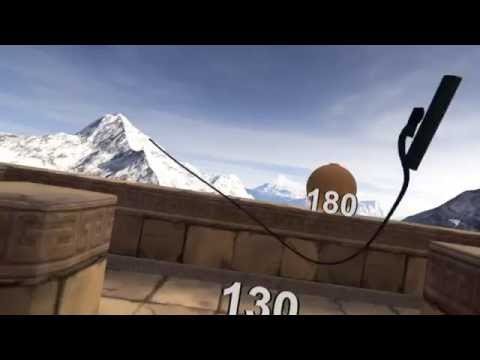
Implementing the whip physics was rather tricky. I've ended up with something that doesn't work quite like a real-world whip - you can't really make it do a crack in mid-air - but feels very responsive in its own way. The sound and haptics is based directly on the simulation, and I found it quite satisfying to use.
Now I'm wondering if I should take a little break from developing the full Eye of the Temple game and try to get this little arena game (which is much smaller in scope) finished and released first. I wonder if it's something people might be interested in? It definitely got positive reactions and feedback at Exile.
I'm thinking it would work well as an infinite game with high scores. There's not yet any fail condition though - I'm trying to think what might work well for that. I also need to implement some kind of bonuses and multipliers in the scoring probably.
As a side note - after spending several days prototyping and implementing this whip mechanic at Exile, I ended up with quite sore shoulders from whipping so much. ;)
If you have a Vive and would like to be an early tester of Whip Arena, let me know.
Announcing Eye of the Temple
I've been working on a VR game for the past months. It's called Eye of the Temple and it's a Vive game quite unlike any other.
Here's a pre-alpha trailer for it!
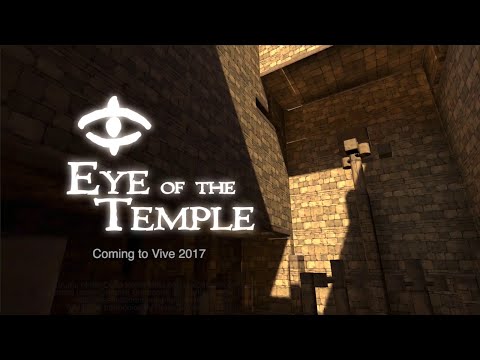
That's the first time I've made a trailer by the way. Quite challenging but also fun! It's got some placeholder models in it and it's made from playtest footage rather than clips made specifically for this trailer, but I tried to make the best of what I got.
Eye of the Temple is currently at an early stage in development.
Speaking of placeholder models, I'm just beginning now to look into working with contractors to have some nice art created for the game. If you know of any skilled concept artists or 3d modelers who'd like to design ancient contraptions for a game like this, let me know!
I previously worked on the game jam game Chrysalis Pyramid. Eye of the Temple is based on a similar core mechanic, but expands upon it in scope and variety, and is completely rewritten and redesigned from scratch. The goal is a commercial release in 2017.
Playtesting so far has been very promising and it's a lot of fun developing the game. Follow the development here and on Twitter, and let me know what you think!